How to Install XAPK Files on Android?
Have you ever seen a .xapk file when trying to install an app on your Android phone and wondered what it is? Don’t worry, you’re not the only one. While most people know about .apk files, .xapk files include additional data, such as graphics or media, so they are a bit more complicated.
The good news is that installing .xapk files is easier than it looks. Just follow a few simple steps, and you’ll have them working quickly. This guide will show you how to install your apps without any trouble.
Before we start, let’s learn a bit more about .xapk files. This will help you understand what you’re working with.
What Even Are XAPKs?
XAPK files offer another way to install Android apps, especially bigger ones that need more resources than a standard APK can provide. Think of them as a compressed package that contains both the main APK and any additional data the app needs, such as graphics or media. This extra data is often stored in a file called an OBB.
XAPK files exist because Google Play imposes a 100 MB limit on APKs. For larger apps, developers often split them into multiple downloads, which can be inconvenient for users. XAPK makes things easier by packaging everything together, so you only need to download and install once.
XAPK files do not work with Google Play, so you usually need to get them from other websites or app stores. For safety, always download XAPK files from reliable sources to avoid security risks.
XAPK files are popular with gamers and people looking for apps that are not available in their region or have been removed from the Play Store. They make it easier to install large apps by bundling everything you need into a single file.
To install XAPK files on your Android device, use this guide, which explains what you need and how to do it. XAPK files are APKs with additional data, making them a handy way to install apps, especially games that require more resources.
Prerequisites
Before you start installing, make sure you have these things ready:
- Could you check if your device is running Android 6.0 or later?
- Could you download the XAPK file you want to install from a trusted source?
- You might need a file manager app to find and manage files on your device. If you don’t have one yet, you can get it from the Google Play Store.
- To make installation easier, you can download a reliable XAPK Installer from the Google Play Store. In this guide, I’ll use ZArchiver, a popular and simple file manager.
Step 1: Enable Installation from Unknown Sources
On your phone, look for the option called “install unknown apps.”
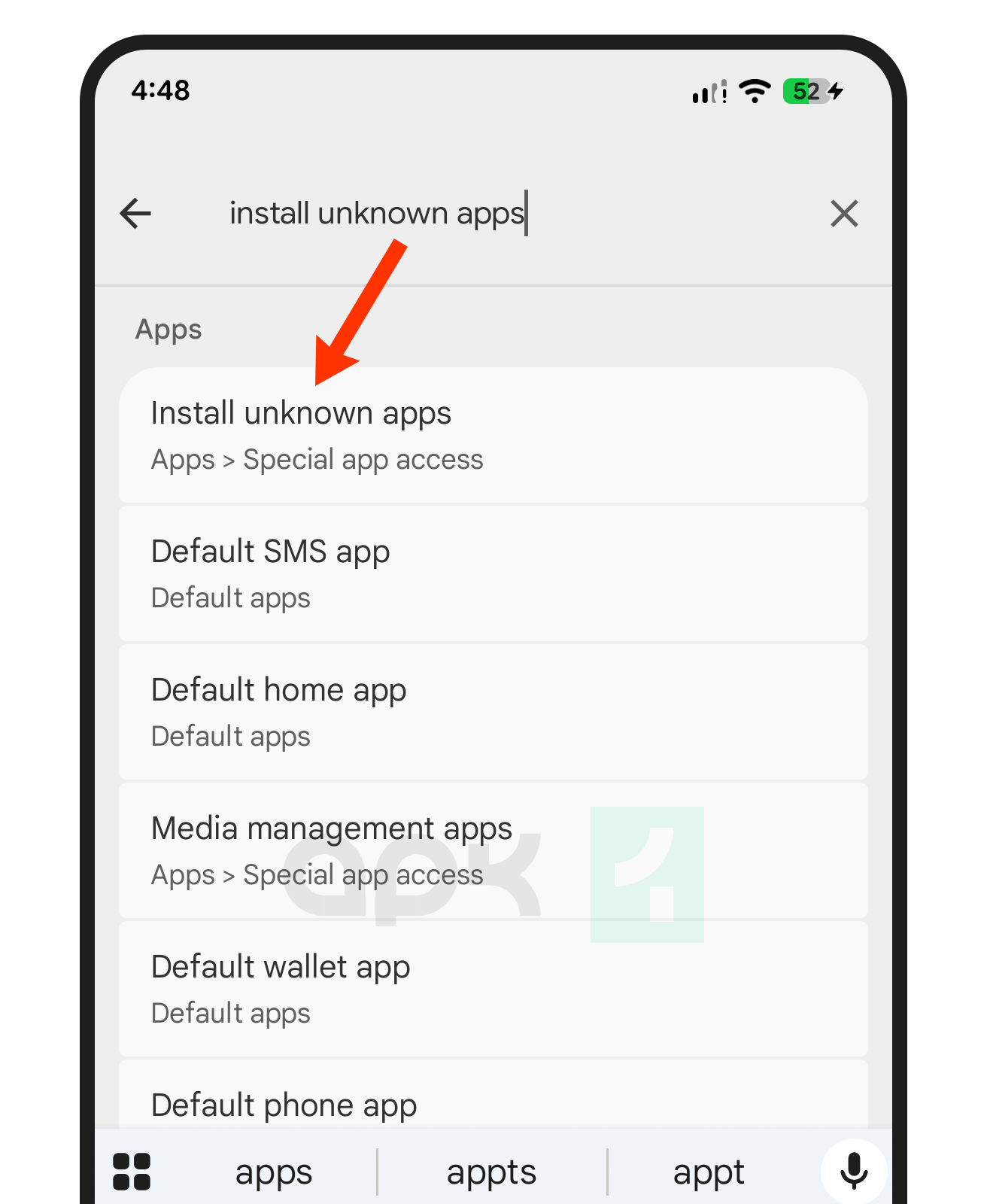
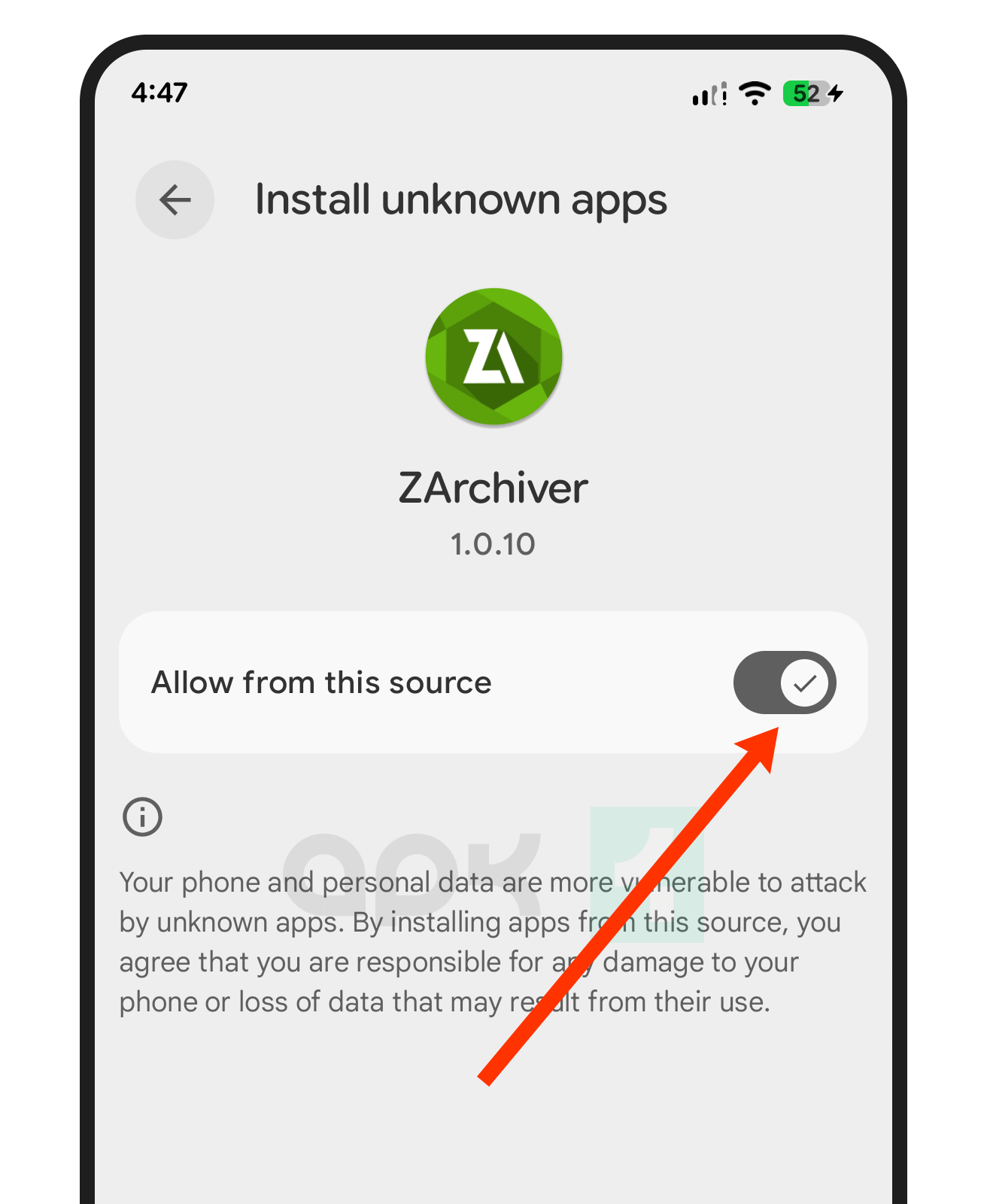
You’ll see a list of apps. You can let each app install files from outside the Google Play Store. For example, since I’m using ZArchiver to install the XAPK file, I’ll allow it to install apps on my device.
Step 2: Download and Prepare the XAPK File
- You can go to a trusted website to download the XAPK file you want. In this guide, I downloaded the Free Fire XAPK from APK1.
- You can just open your file manager and go to the Downloads folder where you saved the XAPK file.
Step 3: Install Using ZArchiver (Recommended Method)
If you don’t have it yet, download the ZArchiver app from APK1.

You can open ZArchiver and give it any permissions it asks for; you can find the folder where you downloaded the XAPK file.

Tap the XAPK file and choose Install.
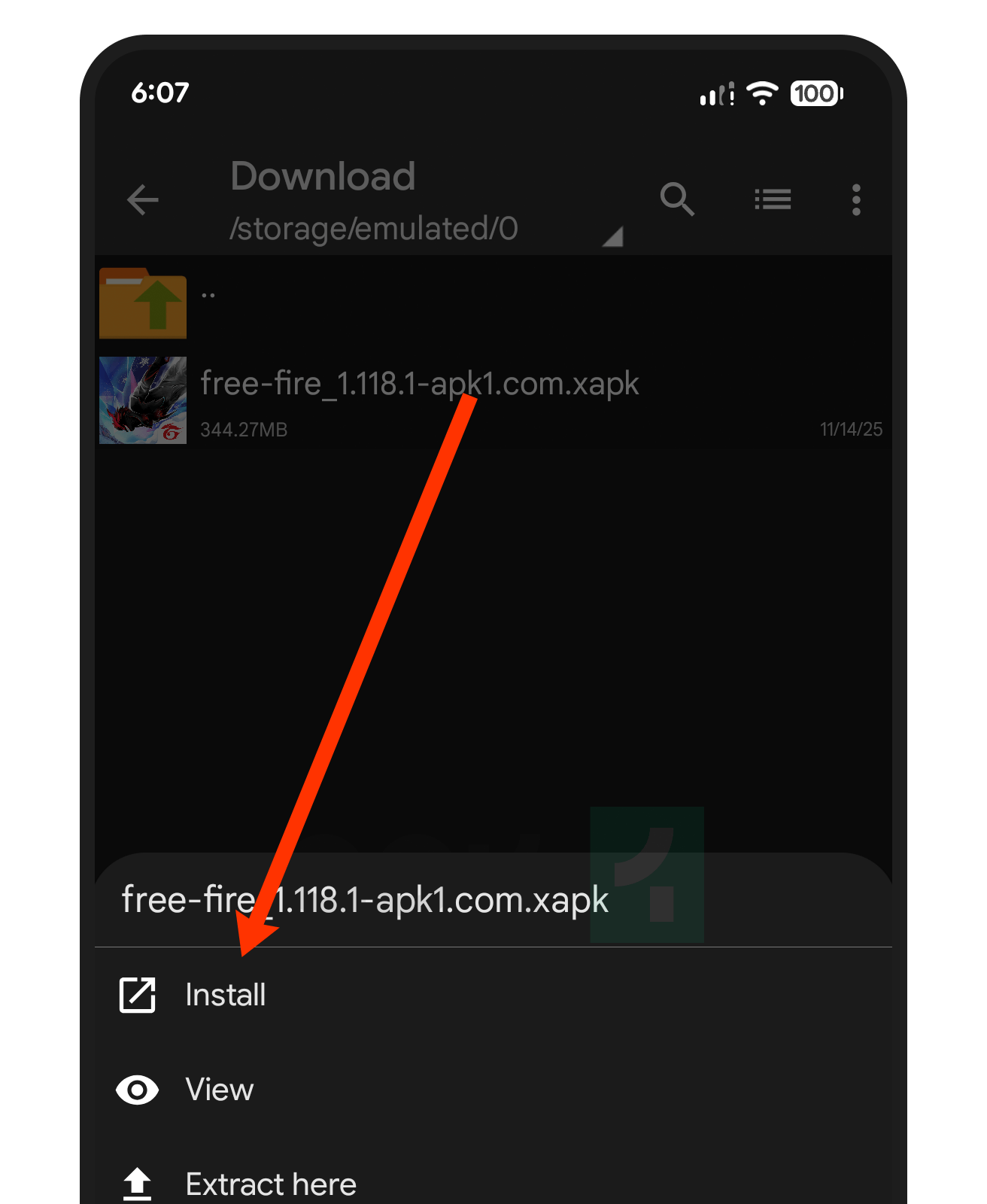
If any prompts pop up, confirm them to start installing.

After it’s installed, open the app and use it as you normally would.
Manual Installation (Alternative Method)
If you prefer not to use ZArchiver, you can install an XAPK file by following these steps:
In your file manager, press and hold the XAPK file and select Rename. Change the file extension from .xapk to .zip. Then, open the ZIP file with a file extraction app like RAR, which is available on APK1.
Extract the contents to any folder you like, or just pick ‘Extract here’ to put everything in the same folder as the ZIP file.

Open the extracted folder and locate the OBB folder. If you don’t find one, skip to the last step. If you do see it, copy the OBB folder, as it contains extra data for some apps or games.
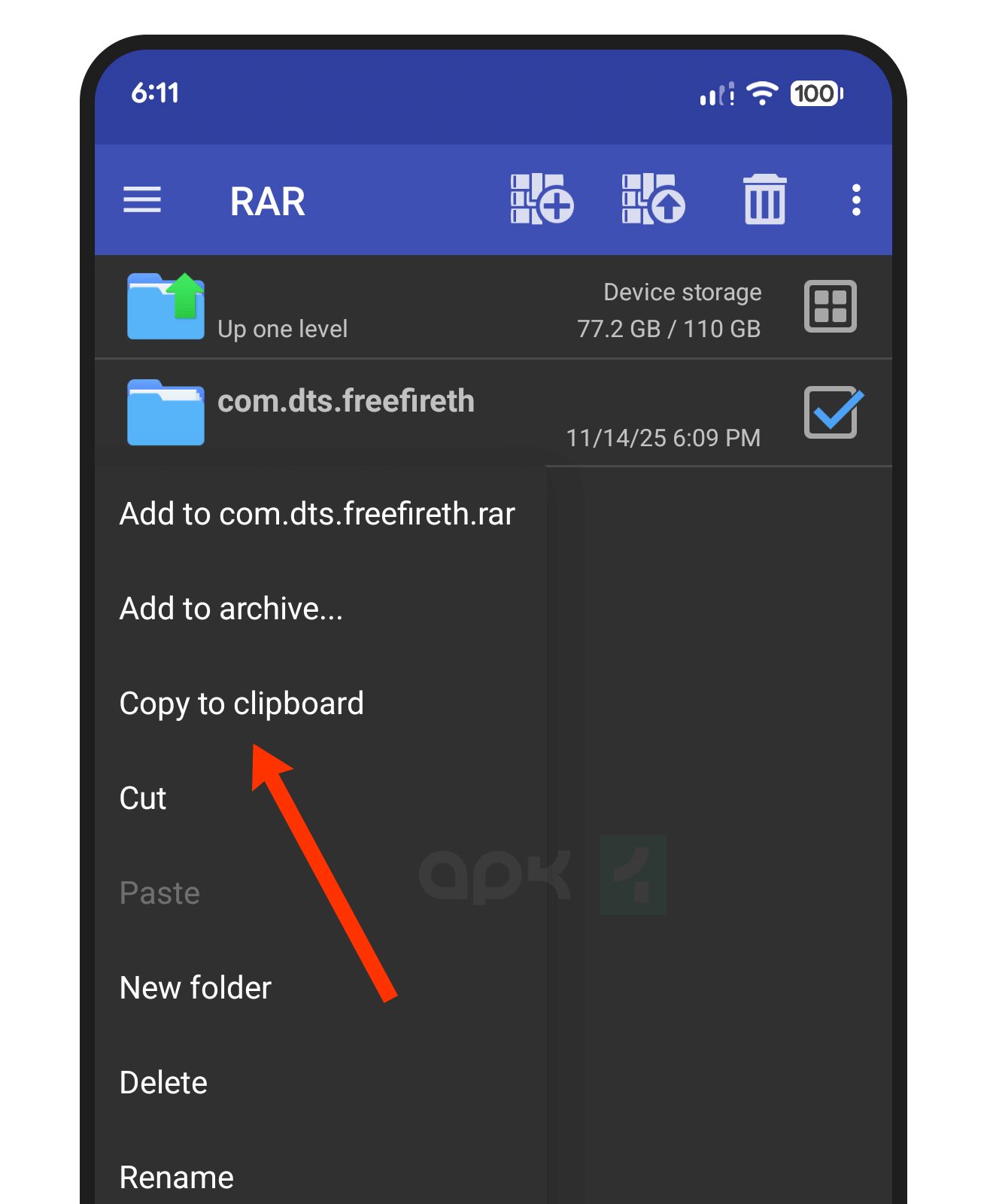
Go to Internal Storage, open the Android folder, then open OBB, and paste the OBB folder you copied earlier. Next, return to the extracted folder, locate the APK file, and tap it to install. Follow any instructions that appear on your screen.
Once you’re done, you’ll see your new app in the app drawer. Tap it to open and enjoy!
Follow these steps, and you’ll be able to install any XAPK file on your Android device easily. If you have any problems or need help, feel free to ask!